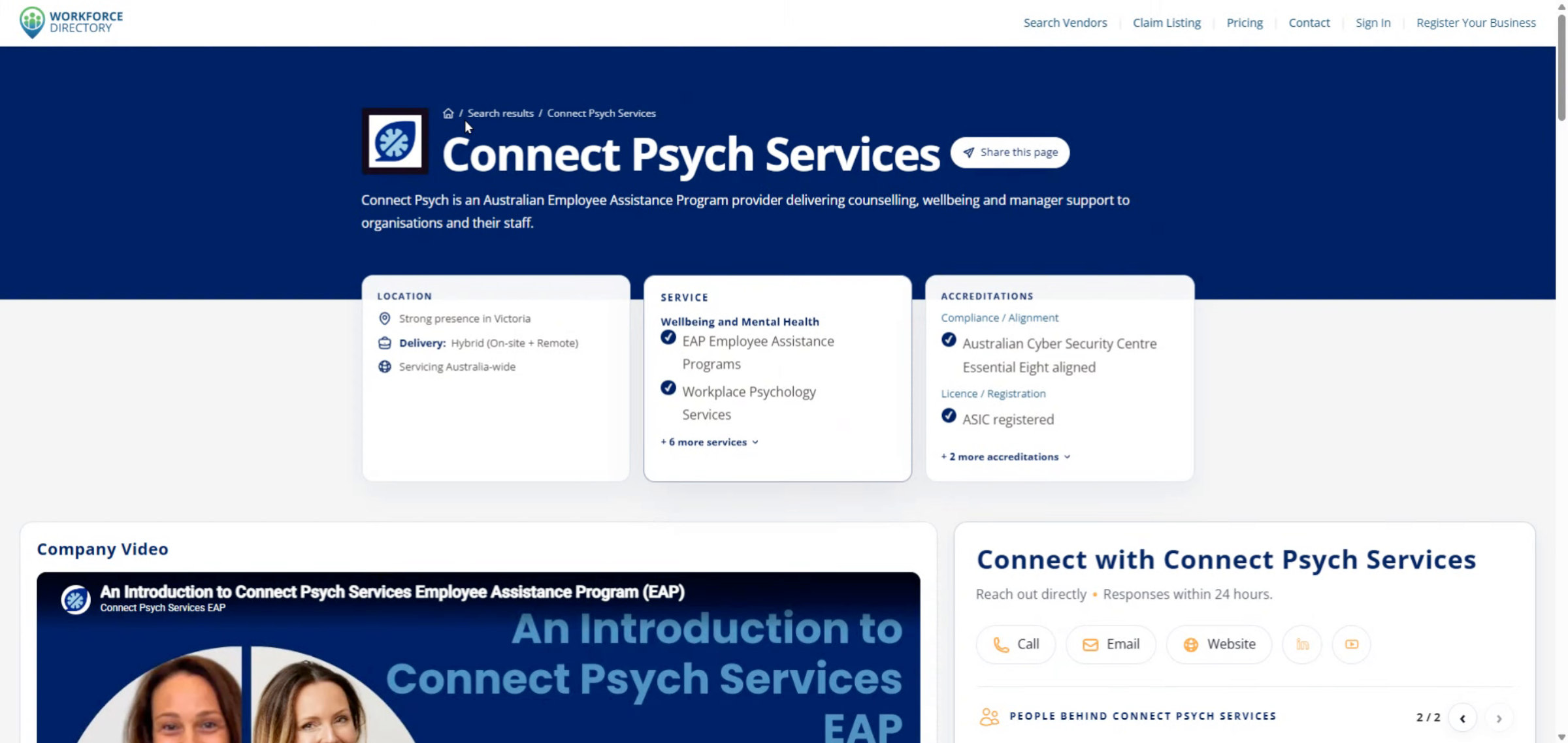
How to search for a service
Watch the walkthrough, then describe your workforce need, review the recommended service, and open matching vendors.
Ready to start?
Use the homepage service search, describe your support need, and follow the recommended results into vendor search.
Search for a service
Step-by-step guide
Show me steps
Use this written walkthrough to search by service need, view recommended vendors, filter the results, and open a full vendor profile.
Step-by-step guide
Show me steps
Use this written walkthrough to search by service need, view recommended vendors, filter the results, and open a full vendor profile.
-
Step 1 Use service search on Workforce Directory
This guide shows how to search for services on Workforce Directory Australia.

-
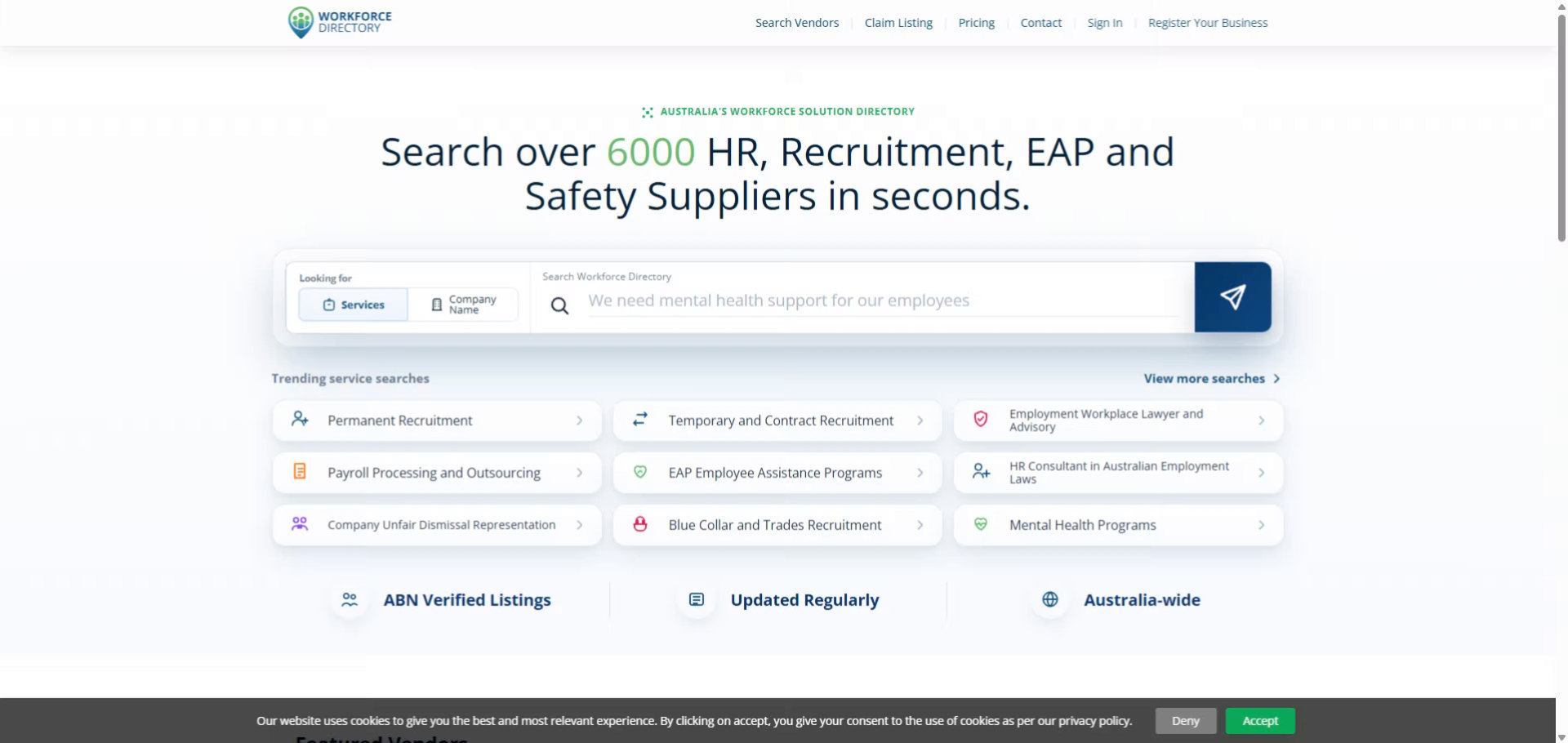
Step 2 Review the service search process
You will learn how to enter your requirements and view matching vendors effectively.
-
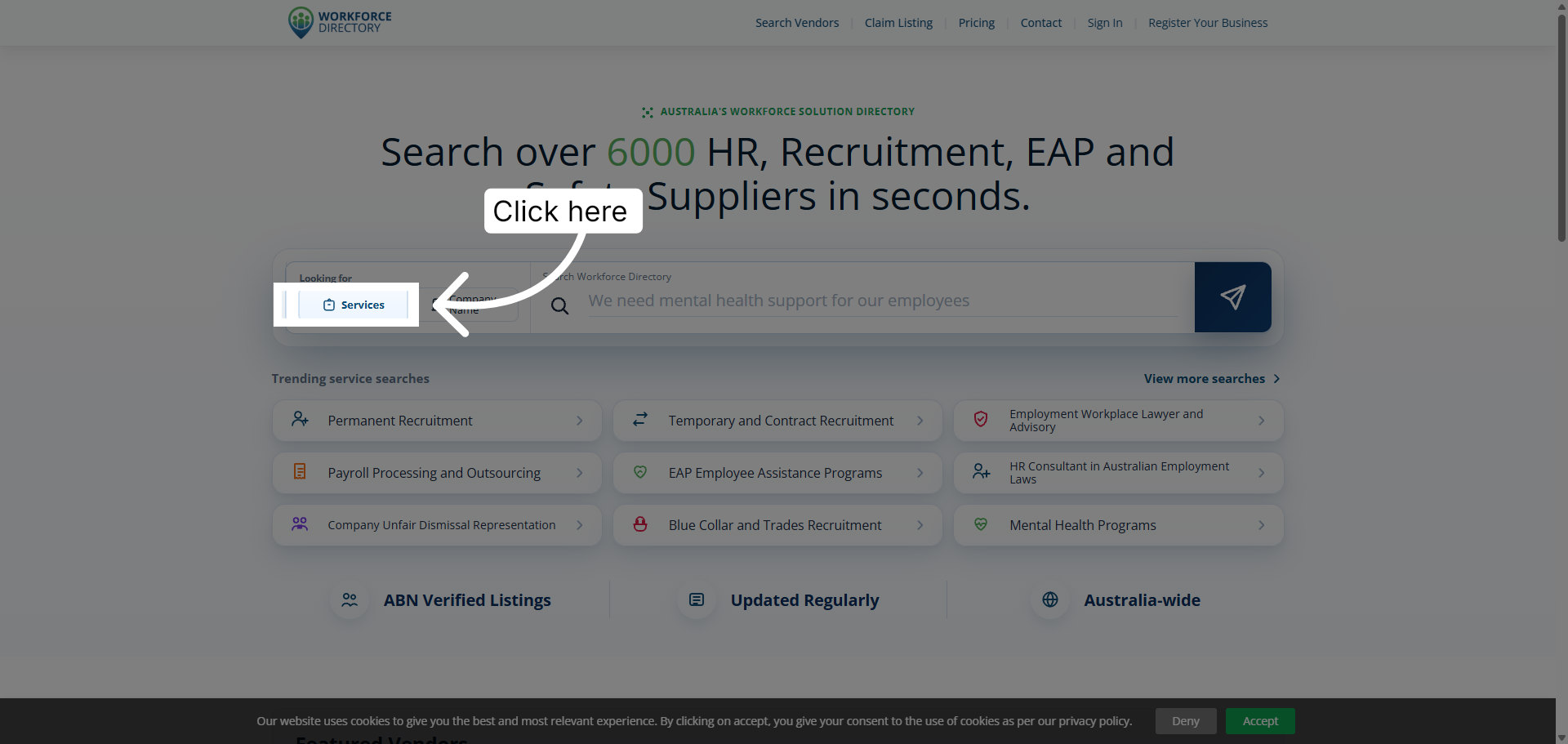
Step 3 Open Workforce Directory service search
Click the services option from the homepage search bar to begin.
-
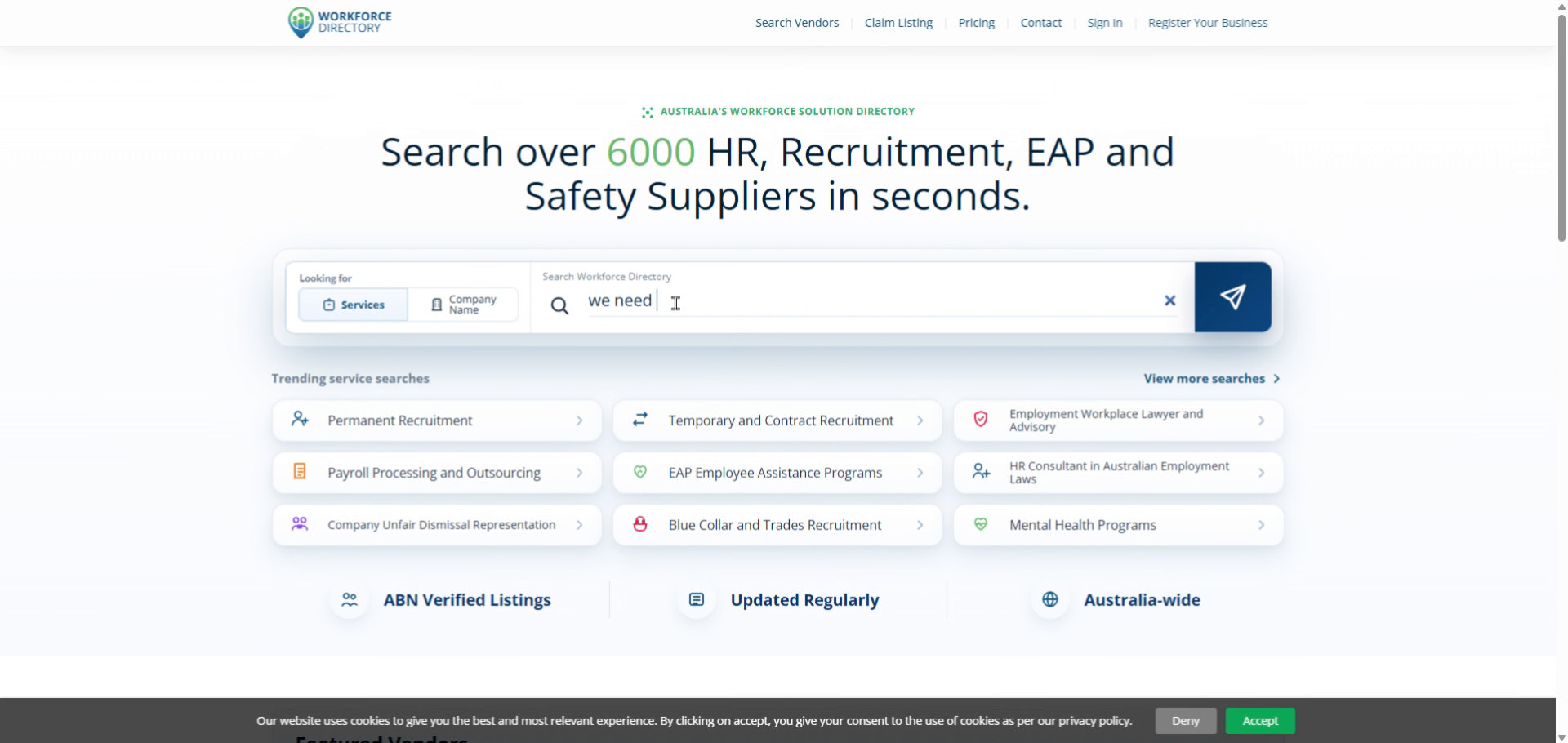
Step 4 Enter your support requirement
Fill in the search field with the HR or workforce service support you need.
-
Step 5 Start the search
Submit your search so AI Search can analyse the need, suggest a relevant service, and recommend matching vendors.
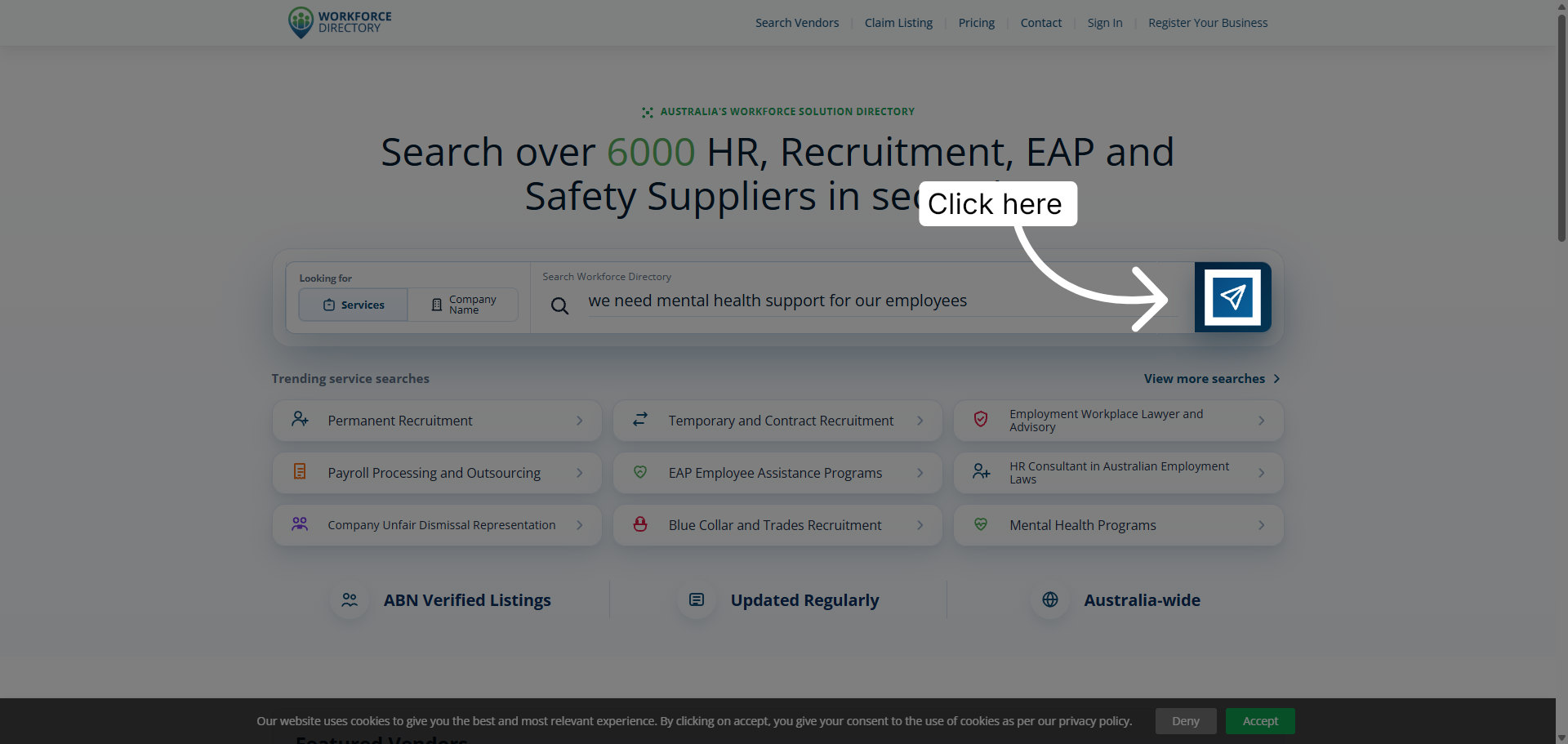
-
Step 6 View matching vendors
Review the recommended solution and click View Matching Vendors to see providers that match your need.
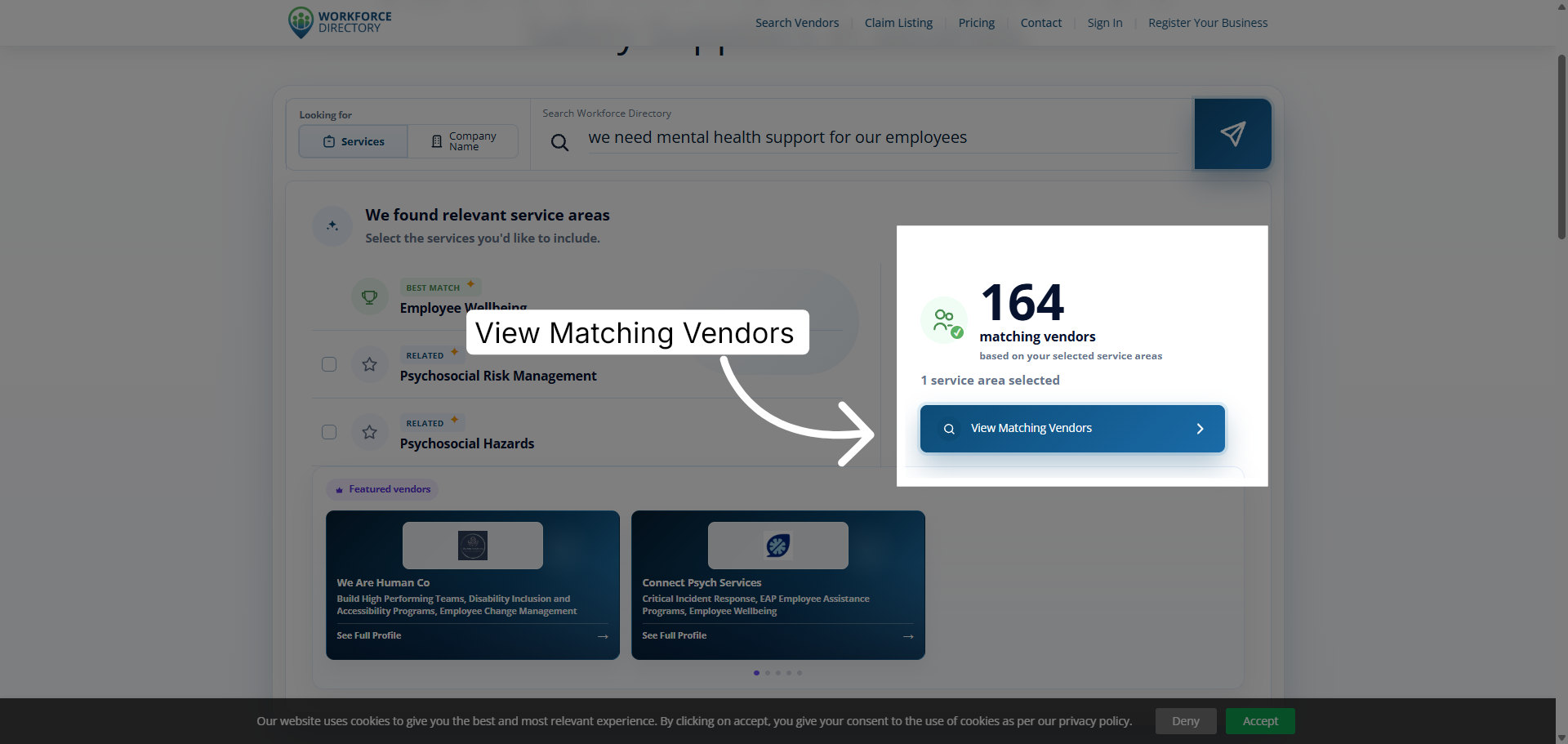
-
Step 7 Review vendor search results
You will land on search results showing vendors that offer the recommended service.
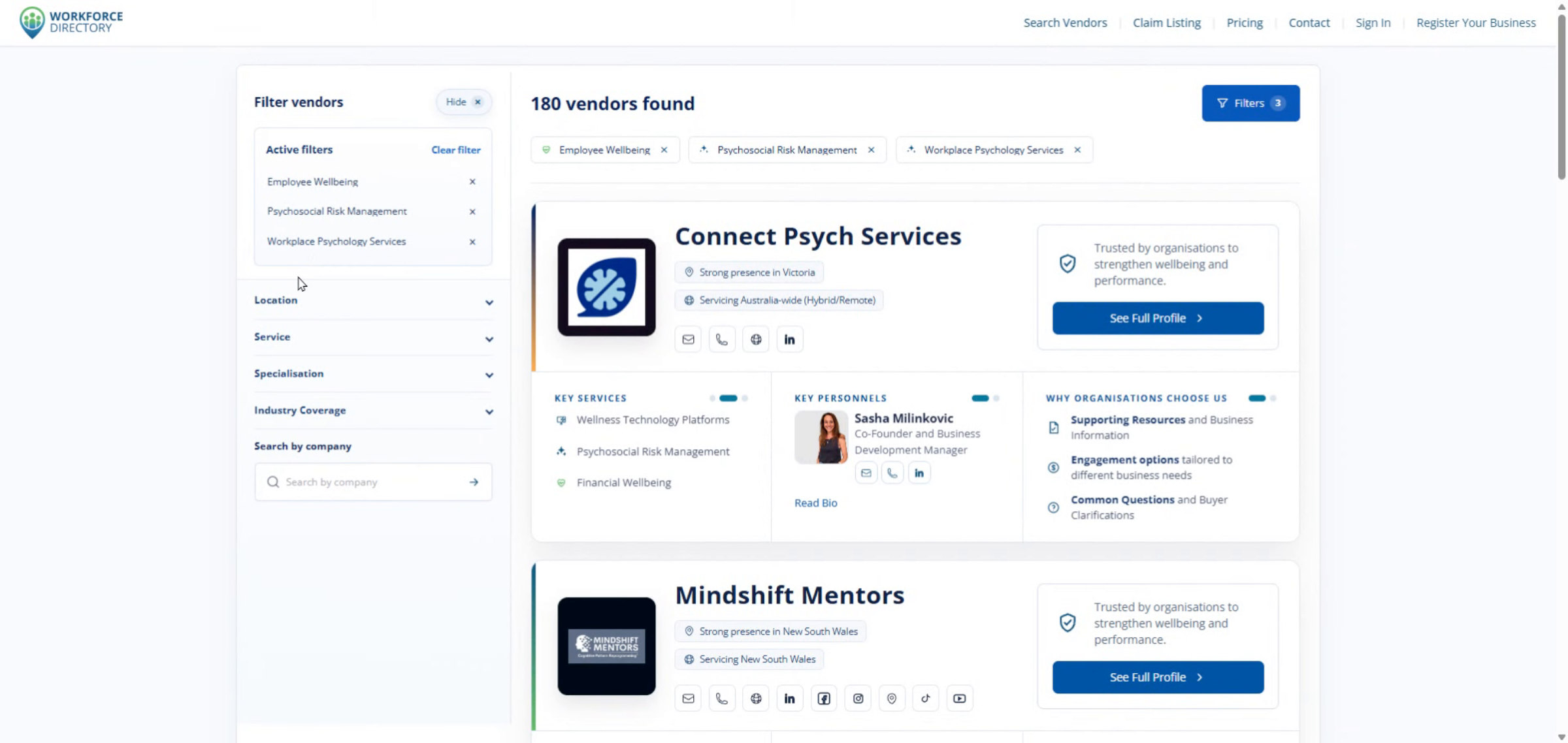
-
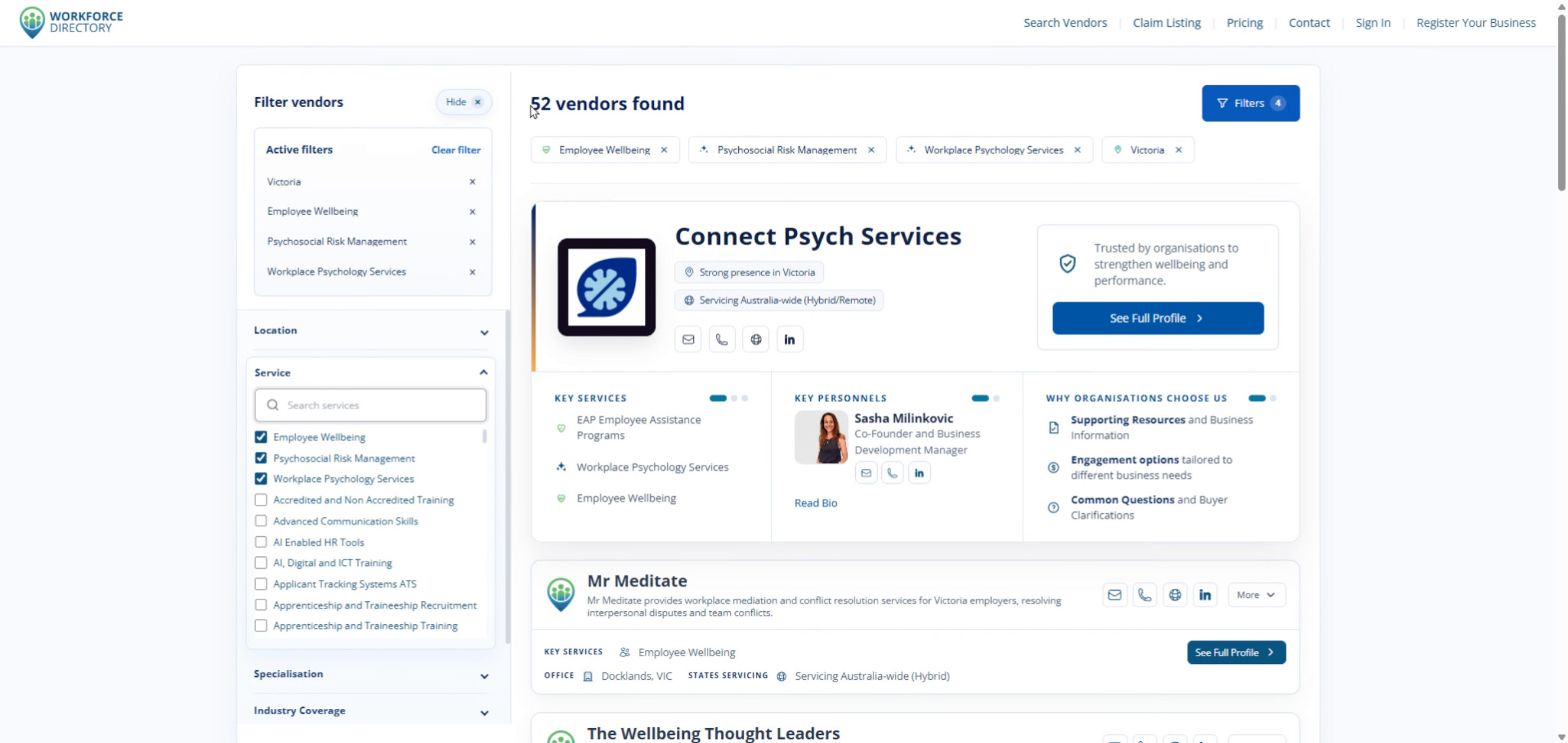
Step 8 Select a location filter
Use the advanced filters, such as location, to refine the vendor results.
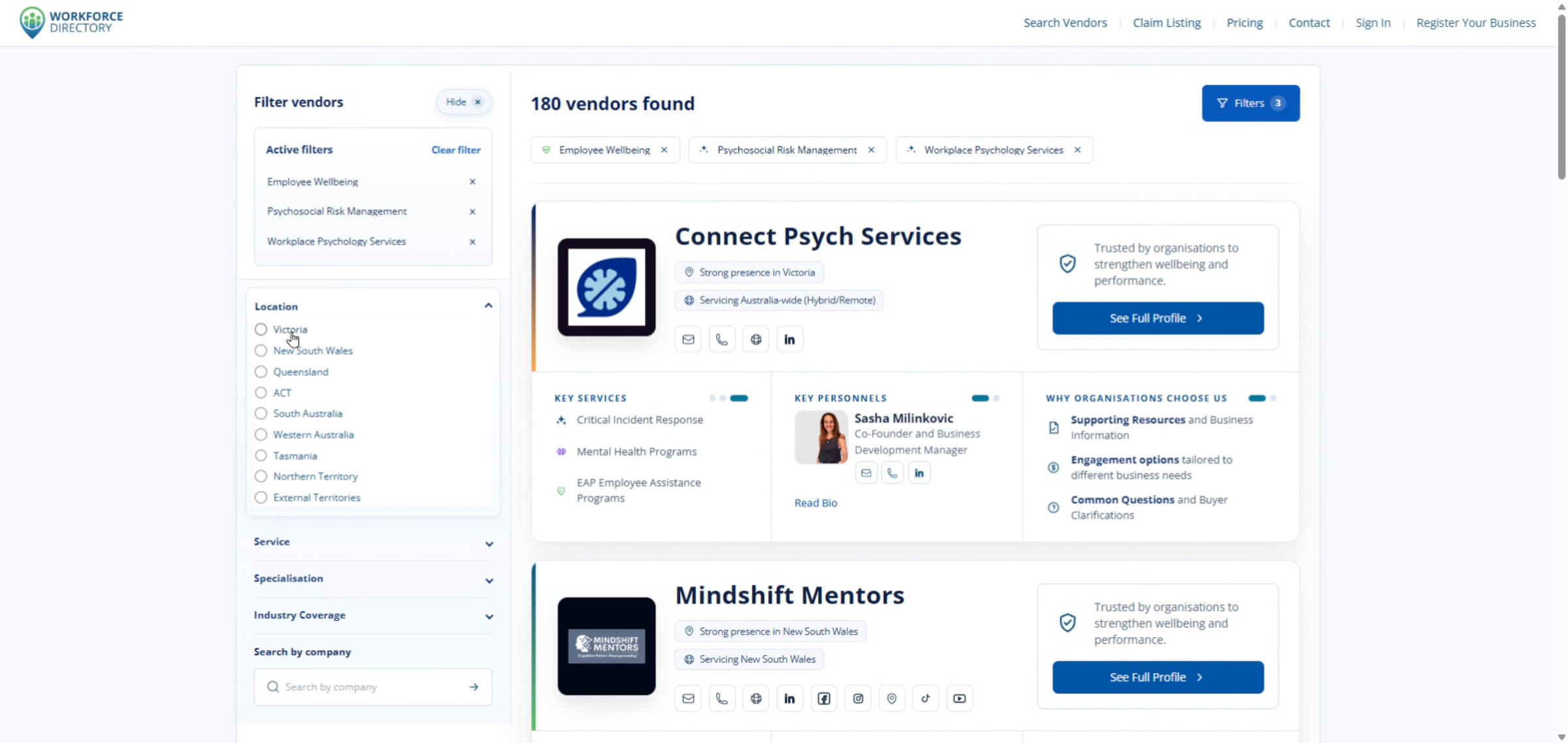
-
Step 9 Refresh vendor listings
Results update automatically based on the filters you apply.
-
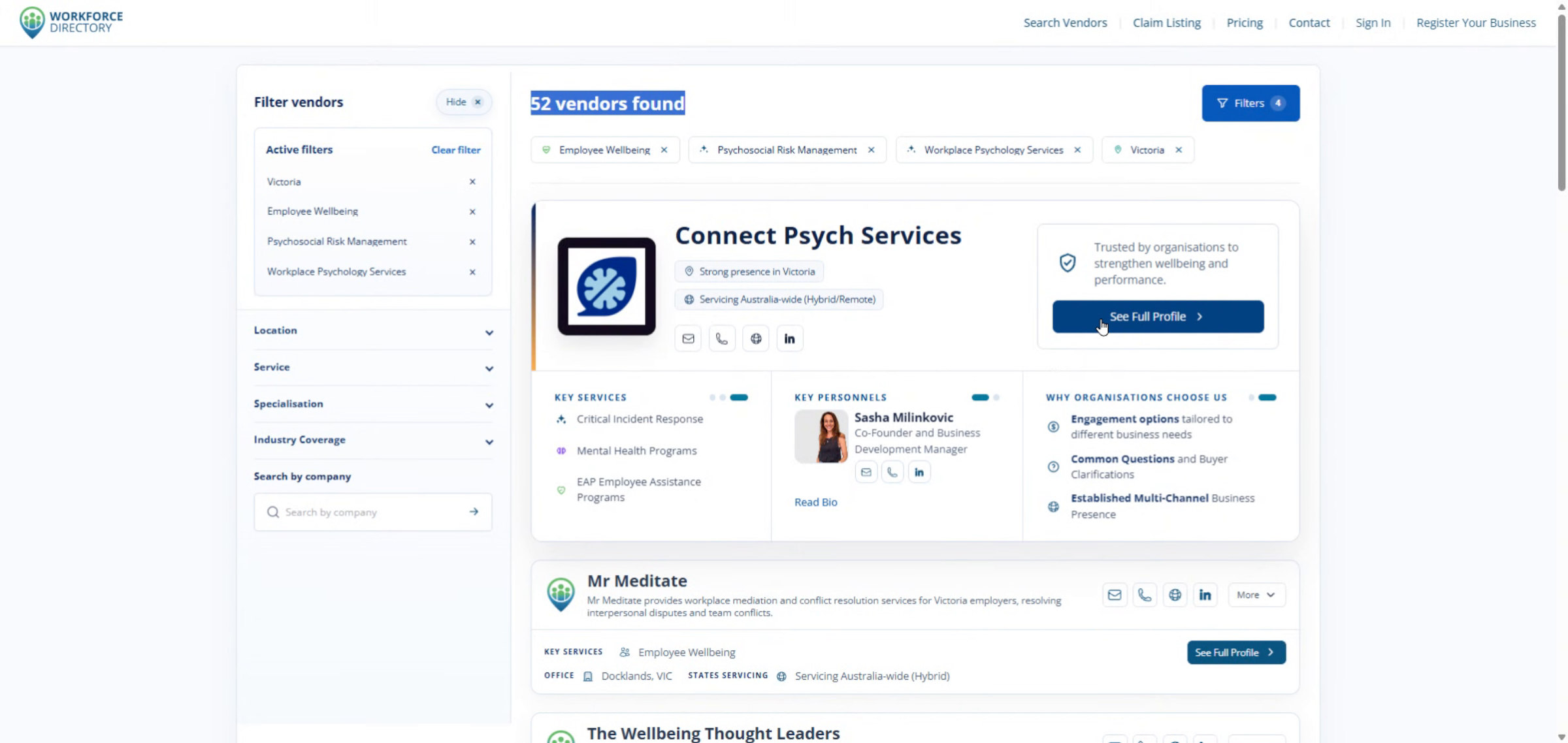
Step 10 Open a full vendor profile
Click See Full Profile to view detailed information about a selected vendor.
-
Step 11 Return to search results
Click Search results to return to the vendor list and keep exploring available options.